In 2025, learning to code has never been more accessible. With a plethora of online resources available, Codecademy remains one of the most popular platforms for both beginners and advanced learners. Founded in 2011, Codecademy has grown to become a top-tier online learning hub, offering interactive courses and structured learning paths for aspiring developers, data scientists, and tech enthusiasts.
But with so many online coding platforms out there, you might wonder: Is Codecademy worth it? In this review, we’ll take an in-depth look at Codecademy’s features, courses, pricing, pros and cons, and help you decide if it’s the right platform for your coding journey.
Overview of Codecademy
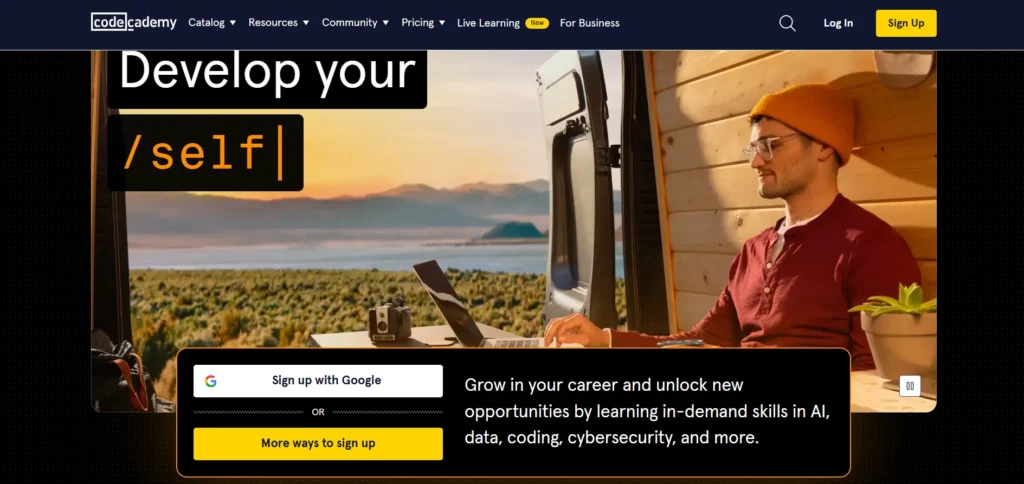
Codecademy is an online education platform that focuses on teaching programming and technical skills through interactive lessons. Unlike many traditional online courses that rely on video lectures, Codecademy takes a hands-on approach, allowing learners to code directly within their browsers. The platform covers a wide range of subjects from basic web development to more advanced fields like machine learning and artificial intelligence.
The key to Codecademy’s popularity lies in its interactive model. Instead of watching lengthy tutorials, users dive straight into coding exercises that give immediate feedback. This “learn-by-doing” philosophy is designed to engage students and ensure they grasp coding concepts by writing actual code.
While Codecademy offers a free plan, it also provides premium subscriptions with additional benefits like real-world projects, personalized learning paths, and career-focused features.
Is Codecademy Right for You?
Codecademy is great for individuals who prefer structured, hands-on learning. Whether you are a complete beginner or someone looking to upskill in a new programming language, Codecademy’s interactive interface and step-by-step guidance make it easy to understand difficult concepts.
However, for those looking for an in-depth, theoretical understanding of computer science, Codecademy might feel a bit light. It’s more suited for practical learning rather than theoretical foundations. If you prefer learning through textbooks or traditional lectures, Codecademy’s interactive style might not appeal to you.
Features of Codecademy
Codecademy offers an interactive learning experience with a focus on hands-on coding. It provides structured learning paths, real-world projects, and quizzes. The platform covers a wide range of programming languages and technical skills, offering both free and paid plans with career support, certificates, and community engagement for learners.
1. Interactive Learning
Codecademy’s signature feature is its interactive learning platform. As soon as you begin a course, you’ll be writing code within the browser, which helps reinforce your understanding of programming concepts. Instead of just reading about how to solve a problem, you get to experience it firsthand. This method has been proven to be more effective for many learners compared to traditional video-based tutorials.
2. Hands-on Coding Environment
Codecademy’s browser-based IDE (Integrated Development Environment) allows you to write and execute code without needing to install any software. This makes it beginner-friendly and ideal for those who don’t want to deal with setup hassles.
3. Structured Learning Paths
Codecademy offers several learning paths designed for specific career goals. For example, if you want to become a data scientist, there’s a clear path that includes all the necessary courses and projects you need to complete. Other paths include full-stack web development, computer science, and machine learning. These paths are highly structured and guide you through each topic in a logical order, ensuring you don’t miss any important concepts.
4. Real-World Projects (Pro Feature)
For Pro users, Codecademy offers real-world projects that simulate actual tasks you might encounter in a professional setting. These projects are a great way to apply what you’ve learned and can even be added to your portfolio. Completing real-world projects helps bridge the gap between theoretical knowledge and practical experience, which is essential for anyone looking to land a tech job.
5. Career Support (Pro Feature)
Codecademy’s Pro plan comes with additional career-focused features. These include resume reviews, LinkedIn profile optimization, and access to career coaching. Pro users also receive interview preparation materials, which are incredibly valuable for those looking to break into tech. These features can be particularly useful for people who want a more structured path to starting a career in programming.
6. Community Engagement
Codecademy has a strong community of learners, ranging from beginners to experienced professionals. There are forums, chat rooms, and even Discord channels where you can ask questions, share your progress, and get advice. This sense of community helps combat the isolation that many online learners feel, and it’s a great place to get additional help when you’re stuck.
7. Certifications (Pro Feature)
Codecademy offers certificates upon completion of certain courses. While these certificates aren’t officially recognized by universities or employers, they can still add credibility to your resume or LinkedIn profile, especially if you’re looking to demonstrate your commitment to learning new skills.
Courses Offered by Codecademy
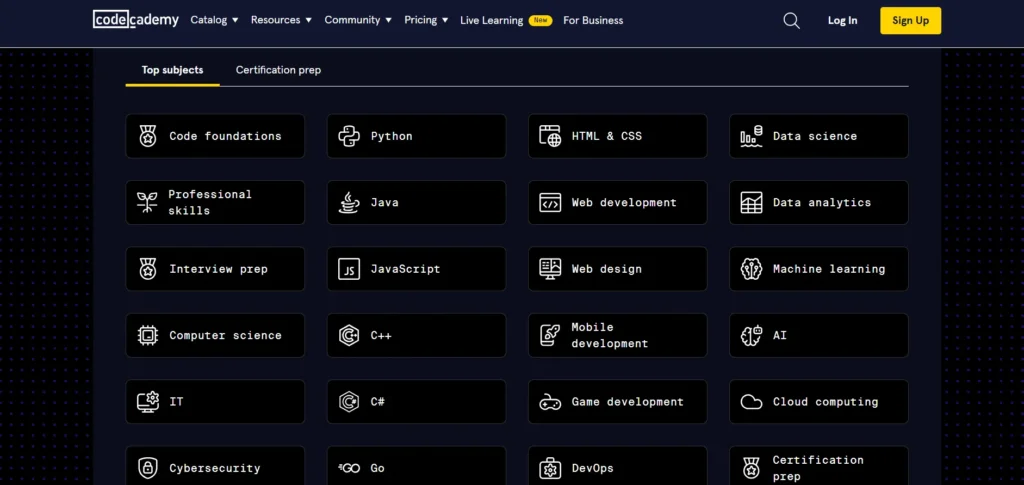
Codecademy covers a wide range of topics in the tech industry. Some of the key subjects offered on the platform include:
1. Programming Languages
- Python: Learn one of the most versatile and beginner-friendly languages.
- JavaScript: Understand the core language behind web development.
- Ruby: Master a language that powers sites like GitHub and Airbnb.
- Java: Explore object-oriented programming with one of the world’s most popular languages.
- C++: Gain skills in a high-performance language used in game development and system programming.
- SQL: Learn the fundamentals of managing databases with SQL.
- Swift: Dive into iOS development with Apple’s Swift language.
- Go: Build efficient, scalable applications with this popular language.
2. Web Development
Codecademy offers courses in all aspects of web development, including:
- HTML/CSS: The basic building blocks of web design.
- React: A powerful JavaScript library for building user interfaces.
- Node.js: Master JavaScript for backend development.
- Django: Build web applications with Python’s Django framework.
- Flask: Another popular Python web framework for building web apps.
3. Data Science
If you’re interested in data science, Codecademy offers an in-depth curriculum covering topics like:
- Data Analysis with Python: Learn how to manipulate and analyze data using libraries like Pandas and Matplotlib.
- Data Visualization: Create compelling visualizations that make complex data understandable.
- Machine Learning: Understand the basics of machine learning algorithms and how to build models.
- SQL for Data Science: Master database management and querying techniques with SQL.
4. Computer Science
For those who want to dive into the more theoretical side of programming, Codecademy offers computer science courses in:
- Algorithms and Data Structures: Learn the building blocks of efficient programming.
- Object-Oriented Programming (OOP): Understand how to structure software in a more maintainable way.
- Command Line: Learn how to navigate and use the command line, an essential skill for developers.
- Git: Master version control using Git.
5. Career-Oriented Skills
Codecademy also offers courses that teach skills necessary for the tech job market, including:
- Git & GitHub: Version control systems are essential in modern software development.
- Agile Development: Learn about Agile methodologies used in software development projects.
- Tech Interviews: Get ready for your tech interviews with mock challenges and tips.
Codecademy Pricing Plans
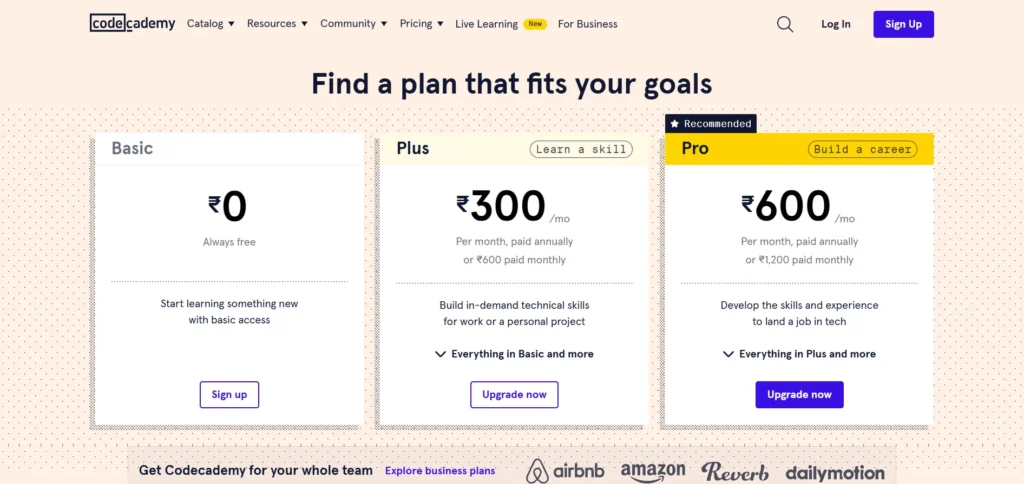
1. Basic Plan – Free
- Cost: $0 (Free)
- Access: Limited to a selection of introductory courses.
- Features:
- Access to basic courses in languages like Python, JavaScript, HTML, and CSS.
- Community support through forums.
- Limited access to the mobile app.
- No access to quizzes, real-world projects, or certificates.
This plan is ideal for beginners who want to explore coding basics without any financial commitment.
2. Plus Plan – $14.99/month (billed annually) or $29.99/month (billed monthly)
- Cost:
- $14.99/month when billed annually ($179.88/year).
- $29.99/month when billed monthly.
- Access: Full access to all courses.
- Features:
- Real-world projects to apply your skills.
- Quizzes and assessments to reinforce learning.
- Personalized practice sessions.
- Certificates of completion for courses.
- Access to mobile app for on-the-go learning.
- Community support through forums and events.
The Plus plan is suitable for learners who want to build practical coding skills and showcase their achievements with certificates.
3. Pro Plan – $19.99/month (billed annually) or $39.99/month (billed monthly)
- Cost:
- $19.99/month when billed annually ($239.88/year).
- $39.99/month when billed monthly.
- Access: Comprehensive access to all courses and features.
- Features:
- Everything included in the Plus plan.
- Career paths tailored to specific job roles.
- Interview preparation materials and code challenges.
- Professional certifications upon completion of career paths.
- Job-readiness checker powered by AI.
- Priority support and guidance.
- Access to exclusive content and advanced features.
The Pro plan is designed for individuals aiming to transition into tech careers, offering in-depth resources and support to enhance employability.
4. Pro Student Plan – Over 35% off regular Pro pricing
- Eligibility: Available to eligible college and high school students.
- Discount: Over 35% off the regular Pro plan price.
- Features:
- All benefits of the Pro plan.
- Access to student-specific resources and support.
- Flexible learning schedules to accommodate academic commitments.
This plan provides students with the tools and resources needed to develop coding skills while pursuing their education.
Summary Comparison Table
| Plan | Monthly Cost (Annual Billing) | Monthly Cost (Monthly Billing) | Key Features |
|---|---|---|---|
| Basic | $0 | $0 | Access to basic courses, community support. |
| Plus | $14.99 | $29.99 | All Basic features + real-world projects, quizzes, certificates. |
| Pro | $19.99 | $39.99 | All Plus features + career paths, interview prep, professional certifications. |
| Pro Student | Over 35% off Pro pricing | Over 35% off Pro pricing | All Pro features + student-specific resources. |
The free plan allows you to access a limited number of courses and exercises. The Plus plan unlocks additional features like real-world projects, quizzes, and extra practice tools. If you’re serious about learning and want career-focused support, the Pro plan offers career paths, interview prep, and certifications.
Pros of Codecademy
Hands-On Learning: Codecademy’s interactive environment is highly effective for active learning. You get to practice coding as you learn, which helps retain information better than passive learning methods like watching videos.
Structured Learning Paths: The platform’s learning paths are well-organized and guide you through the material in a logical, step-by-step manner. This is especially useful for beginners who don’t know where to start.
Real-World Projects: Pro users have access to projects that simulate real-world coding tasks, giving you valuable experience that can be added to your portfolio.
Career Support: The Pro plan offers a variety of career-focused features, including resume reviews, LinkedIn profile optimization, and mock interviews, which can help you land your first tech job.
Community Support: Codecademy has a strong, active community where you can get help, ask questions, and connect with other learners. This is great for building motivation and finding solutions when you’re stuck.
Variety of Courses: Codecademy offers a wide range of courses across various programming languages and technical domains, so you can find something that matches your interests and career goals.
Cons of Codecademy
Limited Depth: While Codecademy is great for beginners, some users feel that the platform doesn’t dive deeply enough into certain topics. Advanced learners may find themselves seeking additional resources to fully understand complex concepts.
Pricing: The Pro plan can be expensive, especially for beginners who are just starting out. While the free plan offers basic access, the paid plans are required to unlock the more advanced features.
Passive Learning Risk: Some users report that Codecademy’s step-by-step approach can lead to passive learning. If you’re not actively engaging with the material and trying to understand the logic behind the code, you may end up just following instructions without grasping the underlying concepts.
Not Ideal for Theoretical Learning: Codecademy’s focus is more on practical coding rather than the theoretical aspects of computer science, so those who are looking for a deeper understanding of algorithms, data structures, or computer theory might need to look elsewhere.
Conclusion
Codecademy is a fantastic platform for those who want to learn coding through interactive, hands-on lessons. Its structured learning paths, variety of courses, and real-world projects make it ideal for both beginners and those looking to transition into tech careers. The platform’s community support and career-oriented features further enhance its appeal.
However, Codecademy may not be the best fit for learners seeking in-depth theoretical knowledge of computer science or those who prefer a more traditional learning style. The Pro subscription can also be a bit costly for some users, though the added career-focused features and real-world projects make it a worthwhile investment for serious learners.
Ultimately, Codecademy offers a great balance of accessibility, hands-on practice, and career-focused resources, making it a solid choice for anyone looking to break into the tech industry.
FAQs
What is Codecademy?
Codecademy is an online platform offering interactive coding courses in various programming languages.
Is Codecademy free?
Codecademy offers both free and paid courses, with the Pro plan unlocking additional features and content.
What languages can I learn on Codecademy?
Codecademy offers courses in languages like Python, JavaScript, HTML, CSS, Java, and more.
Can Codecademy help me get a job?
Codecademy’s Pro plan includes career-focused paths, helping learners build skills for job readiness.
How long does it take to complete a Codecademy course?
The time varies by course, but most can be completed in a few weeks to a few months depending on your pace.